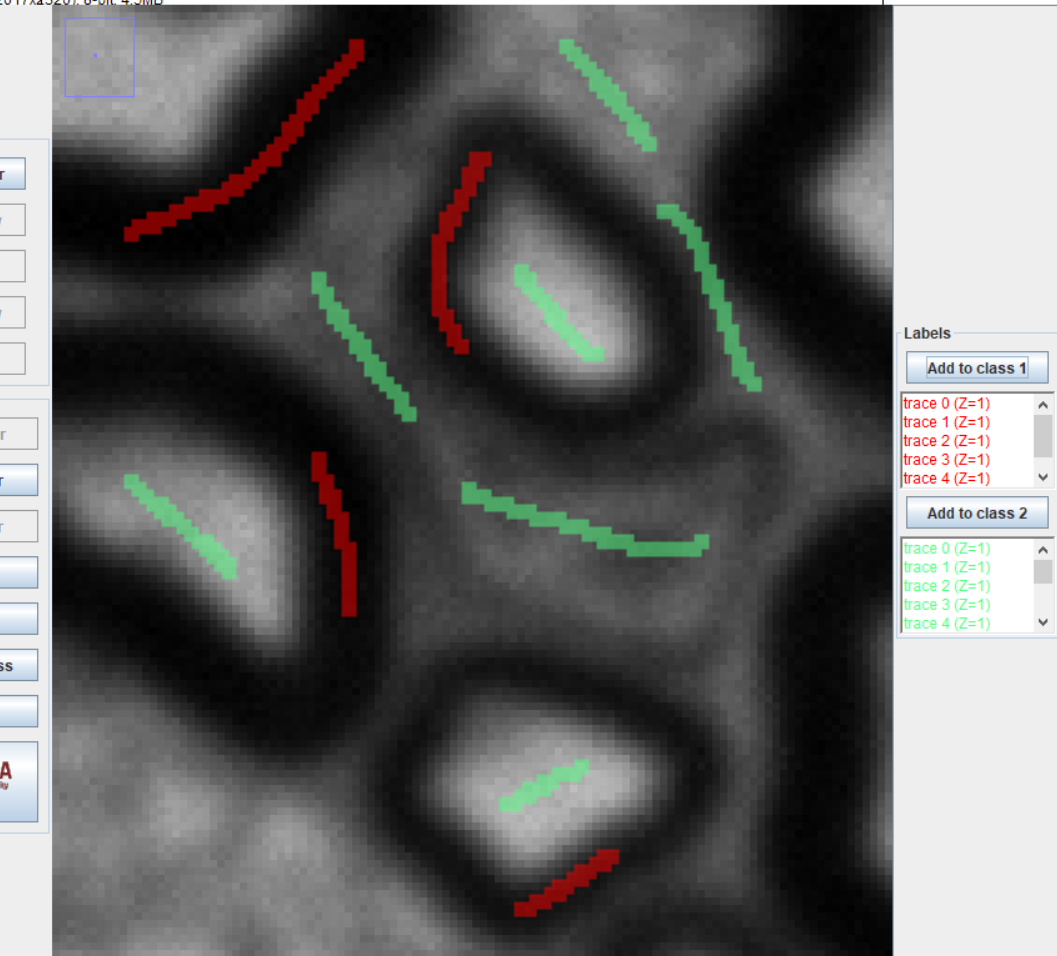
Hi everyone,
I’m currently working on segmenting axons in biological images using Trainable Weka Segmentation in Fiji (ImageJ). I have been facing persistent issues with Java heap space (memory) when processing images, even with 32 GB of allocated memory. Here’s a summary of what I’m trying to do and my current approach:
What I want to do is to count how many axons there are in an image like this:
I keep running into memory issues (Java heap space) when using Trainable Weka Segmentation, which prevents me from completing the segmentation process successfully. I’ve tried increasing the memory allocation to 32 GB, but it doesn’t seem to resolve the issue.
Images in format .tif can be found here in Google Drive’s folder
:
Axon Images - Google Drive
Filters and Training Features Used:
-Gaussian Blur
-Sobel Filter
-Hessian
-Difference of Gaussians
-Membrane Projection
While reducing the training features sometimes helps with memory usage, the resulting segmentation output is not optimal. I’m ussing the classifier random forest
If anyone has experience with similar challenges or suggestions on optimizing memory usage in Trainable Weka Segmentation, your insights would be greatly appreciated! Or if you know of a different option to count how many axons there can be in an image.
ERROR:
WARNING: core mtj jar files are not available as resources to this classloader (sun.misc.Launcher$AppClassLoader@764c12b6)
java.util.concurrent.ExecutionException: java.lang.OutOfMemoryError: Java heap space
java.util.concurrent.FutureTask.report(FutureTask.java:122)
java.util.concurrent.FutureTask.get(FutureTask.java:192)
trainableSegmentation.FeatureStackArray.updateFeaturesMT(FeatureStackArray.java:244)
trainableSegmentation.WekaSegmentation.trainClassifier(WekaSegmentation.java:5391)
trainableSegmentation.Weka_Segmentation$5.run(Weka_Segmentation.java:1598)
at java.util.concurrent.FutureTask.report(FutureTask.java:122)
at java.util.concurrent.FutureTask.get(FutureTask.java:192)
at trainableSegmentation.FeatureStackArray.updateFeaturesMT(FeatureStackArray.java:244)
at trainableSegmentation.WekaSegmentation.trainClassifier(WekaSegmentation.java:5391)
at trainableSegmentation.Weka_Segmentation$5.run(Weka_Segmentation.java:1598)
Caused by: java.lang.OutOfMemoryError: Java heap space
In the absence of an example image (as opposed to the screenshot), I can’t test it but I would suggest LabKit, where I’ve found it very capable for such purposes.
There’s also enough contrast in this image to potentially do this with “classical” methods based on thresholding.
If you can upload an example image (preferably .tif or .png, not compressed jpg), then forum members can have a look and make further suggestions
As to the stack heap issue - not sure.
It might be helpful to check Help → About ImageJ and see how much of your RAM is being made available to ImageJ/Fiji
I’m using ImageJ 1.54k, Java 1.8.0_322 (64-bit). About the RAM it says 23804MB. Using the task manager I have come to see that FiJi has used 32gb and 99% CPU using Weka.
I’m not an ImageJ expert, I’m still learning. Let’s say my lab wants to find a way to code or simplify the method enough to be able to count axons as simply and quickly as possible. So I’m trying different ways. It’s possible that with a threshold it can be done, but I still have to test. As I say, the hardest part is that they would like to be able to do it with a code (plugin, macro etc) to make it fast.
Regarding the images, I’m going to get in touch to see if it’s OK to upload a couple of them here so that other people can try them out, as I don’t own them as such.
The images can get quite heavy in .tif format (50mb-150MB), which decreases when cropped and converted to 8-bit.
I’ll look into LabKit as well, thank you very much for your reply and if I can upload the images, I’ll do it as soon as possible.
Thank you!
PD: I have tested Weka on 3 different computers and the problem has always been the same. Maybe the images are too heavy. My background is in bioinformatics but I am now learning image analysis, so I am a complete amateur.

Rhys:
As I say, the hardest part is that they would like to be able to do it with a code (plugin, macro etc) to make it fast.
Thresholding and LabKit-segmented methods can all be written into macro scripts, and you’re in the right place to learn and get help on how to do these things.
On the images - very understandable.
If necessary, crop the images, remove header information etc.
The point here is that when other forum members can experiment with your image, they may be able to make a good suggestion.
If you’re limited to just the screenshots, it can make that process harder.
LabKit seems to handle these images well:
One thing I should mention - I converted the images to 8-bit.
This reduces the size of the image significantly.
Thank you very much!
I have been testing LabKit and so far it works much better than Weka.
The result you have achieved is fantastic. I would like to ask you a couple of questions.
I have read a bit of information about LabKit, I understand that you can analyse images in stacks, and that you can make a training/classifier with these images in stack. If I want to make a classifier and then apply it to other similar images, is it advisable to do training to a stack and save the classifier?
As your screenshot is a section, I wanted to ask, is the rest of the image just as good? In my case, I guess I have to improve the training because the result has been good but not excellent.
I understand that you have taken the ROI with Analyze Particles from FiJi? Extracting the segmentation map or the probability map. Which of the two is more recommendable?
You are saving my life, seriously!
I posted the screenshot to show it zoomed up where the full-res version didn’t show how well it had done, but yes the rest was very similar.
Note: I spent about one minute on segmentation for this. With more effort, the results can be even bettter.
Which brings me to your first question regarding the stacks.
Any time you create a classifier that works well (whether a stack or single image), I’d suggest saving it if you have the space - The classifier files can become quite large
I used the segmentation map for the above image.