


chatGPT(实际应用1.获取电脑网络的公网IP地址,并发送到企业微信群)

吾生也有涯 而知也无涯。
一、应用目的
因为LAB环境的网络是动态公网IP环境,使用飞塔防火墙搭建的SSLVPN,每次公网IP变了之后,都需要到使用向日葵或者todesk远程到内网机器上看下,当前出口的公网IP是多少,因此很不便利。所以想写一个程序实现自动获取电脑网络的公网IP地址,并发送到企业微信群提醒当前公网IP地址。
二、使用chatGPT编写代码
第一步:先获取电脑的公网IP地址是多少

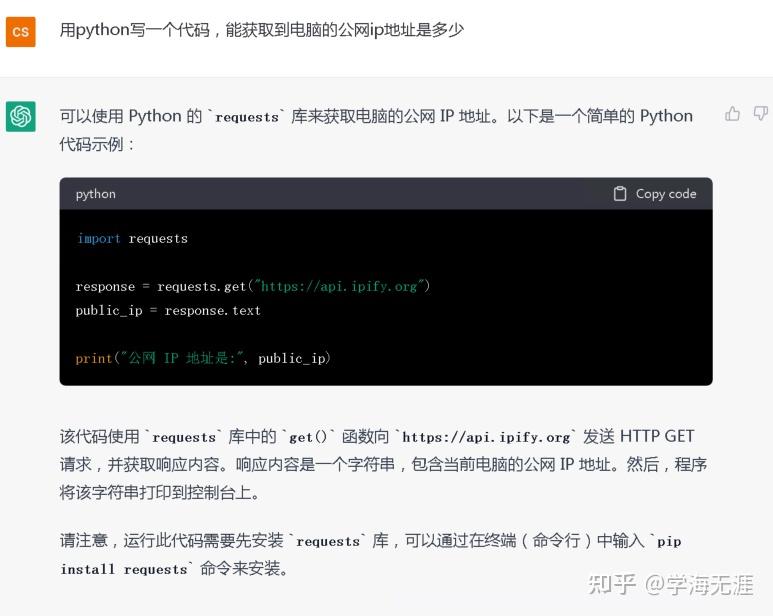
chatGPT给出了很简单的代码,只有4行,太惊艳了。
import requests
response = requests.get("https://api.ipify.org")
pubilc_ip = response.text
print("公网Ip地址是:",pubilc_ip)
让我们运行一下,试试效果。
D:\02-Python\python\python.exe D:\02-Python\My_PythonProject\01-acl\ip1.py
公网Ip地址是: 180.164.63.203
Process finished with exit code 0
第二步:将获取到的公网IP地址发送到企业微信
以下是chatGPT给出的代码
import requests
# 企业微信机器人 webhook 地址
webhook_url = "https://qyapi.weixin.qq.com/cgi-bin/webhook/send?key=YOU_KEY"
# 获取公网 IP 地址
response = requests.get("https://api.ipify.org")
public_ip = response.text
# 构造要发送的消息体
data = {
    "msgtype": "text",
    "text": {
        "content": f"当前公网 IP 地址是 {public_ip}"
# 发送 HTTP POST 请求
response = requests.post(webhook_url, json=data)
# 检查响应状态码
if response.status_code == 200: