While I love the concept of TheBrain (I’ve been trying to use it since its first release I think) it never clicked with me. So I wrote a small python script to export all the thoughts and make them available as markdown files. Pretty rough, but it works.
The converted files will contain the title of the thought, any notes and links to attachments. Jumps, parents and children are put at the bottom of the note.
So yeah, a lot of (manual) work is to be done after importing this into Obsidian, but it’s a start.
Thanks, Sander. I’ve also been a TheBrain User since around 2008 (I think). Obsidian flipped me by creating such a frictionless way to stay in my content. TheBrain’s Plex feels like it’s focal point, rather than my content. In Obsidian, my notes get center stage while I can still use the graph view for thinking about connections.
I could use some help getting started with your python script. I’ve set up GitHub Desktop, installed CodeRunner, and downloaded your file, and updated the file paths. I get the following error:
Traceback (most recent call last):
File “thebrain2markdown.py”, line 3, in
import html2markdown
ImportError: No module named html2markdown
Can you help me work through this? Thanks, and no worries if I’m asking too much. No is an acceptable answer. I don’t know if it matters, but I’m on MacOS Catalina.
[added] I found and downloaded a .js html2markdown file from GitHub. I’m not sure if this is what is needed, but as you might have guessed it didn’t make a difference. As you can tell, I’m not a programmer, though I was 30 years ago. TIA.
I’m glad you asked, cause that way I can make the
README
a bit better. But I’ll answer your question here first.
Python needs certain modules (pieces of code written by others) to work. In this case
html2markdown
. The
.js
file you downloaded might be the same idea, but only for Javascript.
Since you’re on a Mac, you’ll need to install Python3 first (2.7 is installed by default). This guide can help with that:
docs.python-guide.org
@Sander
, Im on Windows 10 and have downloaded portable python (
https://sourceforge.net/projects/portable-python/
)
but have never used python.
Do I need to go and find the html2markup plugin to make your script work?
One week into Obsidian and I’m way over my head, but I dont care because I see it as the future.
OK, I was able to use the portable python install I referenced in windows 10, I successfully installed the html2markup plugin via the pip3 (it downloaded that and a couple other things). After that I executed the command and it errored out. I read some other threads about py scripts, and many ask you to put the script into the root of the folder structure it will act on, and then in python command window, cd over to that directory, and then execute the python3 etc line. Is that what I do with this? Do I put your thebrain2markdown.py into the root of THEBRAIN data structure? Then cd over to that in python?
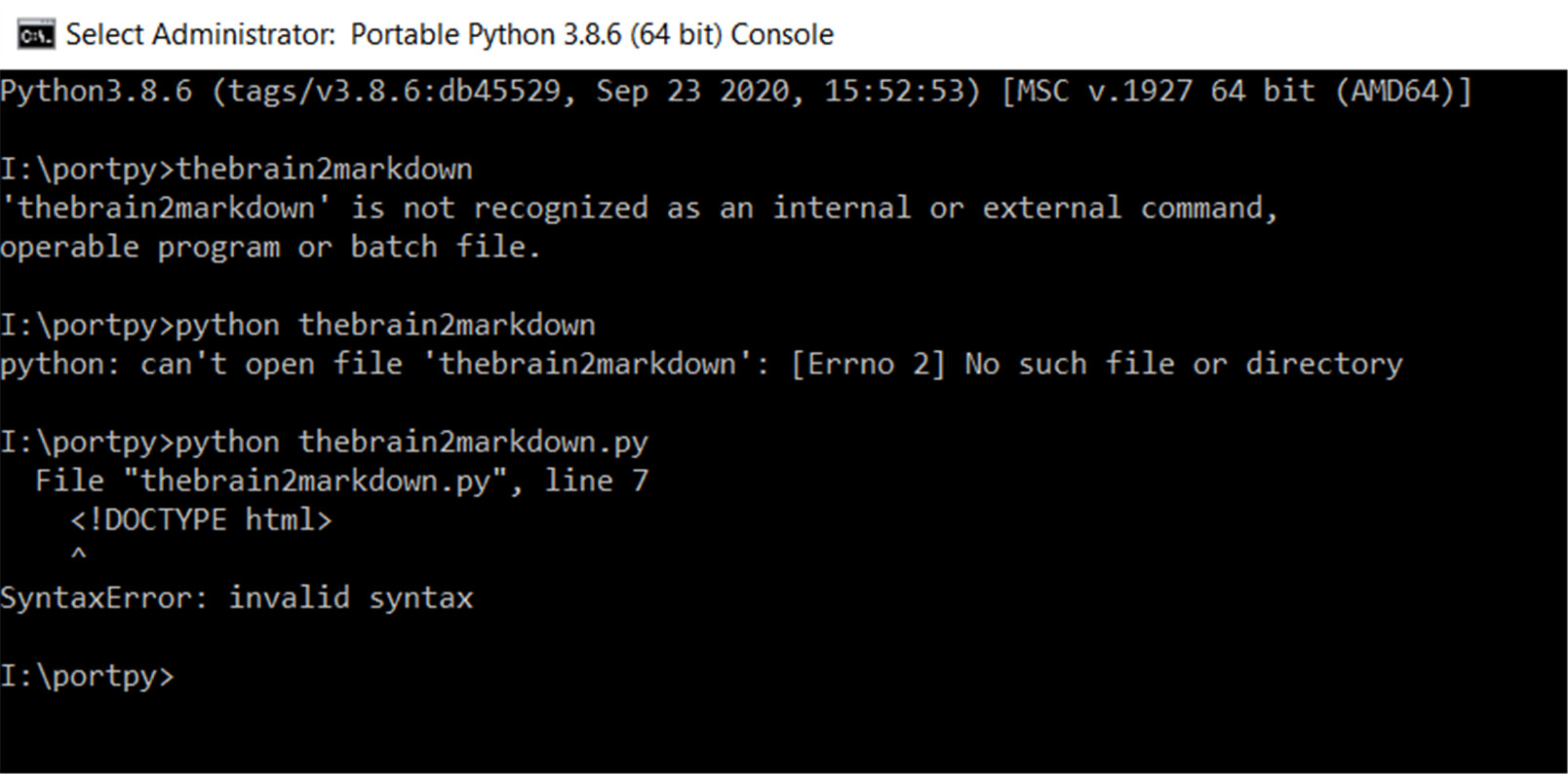
here’s a screenshot of my trainwreck trying to use python, hahah. getting there. you see the html error, i thought i needed to migrate the script to the data folder. but of course-- now that you replied-- i realized i’m even dumber-- didn’t export to json first-- i read your instructions as ‘the script exports to json’ when in fact, obviously, it’s not the case. will do that, and try again. once i figure out how to use python and run one script, I’ll be able to access all the other wonderful py people have been writing, so, for me, I’m trying to teach myself to fish… thank you for your patience!
I right clicked on your hithub project page on the thebrain2markdown.py file, and selected ‘save as’. But I guess in chrome it saves as an html with your script inside there. So I went back and clicked on that file instead (on github), and the next page I clicked ‘raw’ in the top right, and now I see the code, starting with ‘import json’… So then I copy-and-pasted that into this editor:
GitHub
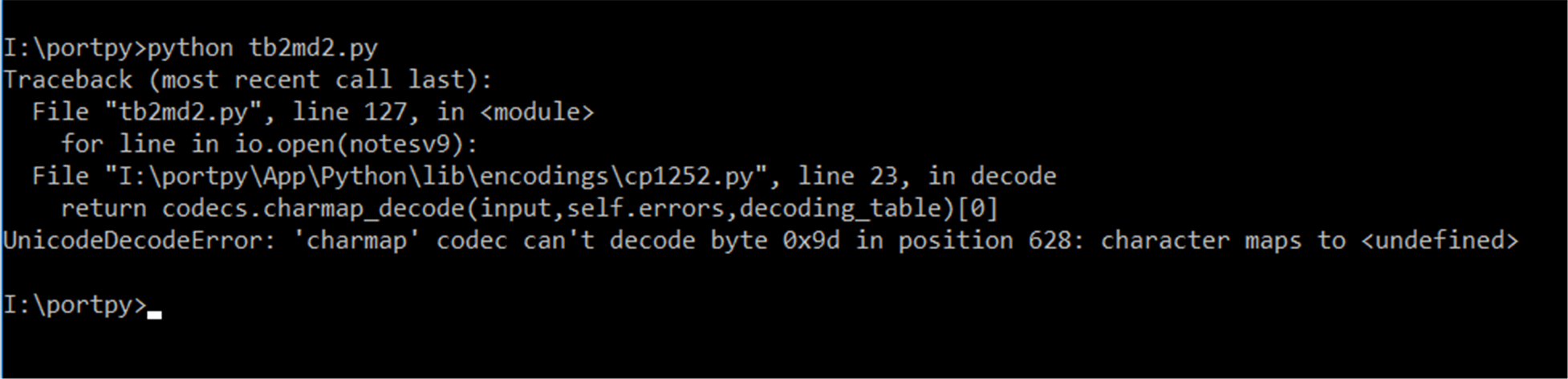
OK, instead of changing the path variables to the absolute path of my desktop (that’s where i put thebrain exported json), I saved your script untouched, and instead moved the export folder to the relative path of the script itself, and called it ‘export’ as the script does. I then got this error:
That way every browser would download the webpage the link points to, not the Python file in this case. Only the raw option you used would work this way. Most of the times people use
git
to download stuff from Github, or the
zip
download option.
As for the error you get, I did a Google search on it (hint
) which pointed me here:



 ) which pointed me here: